
Girls
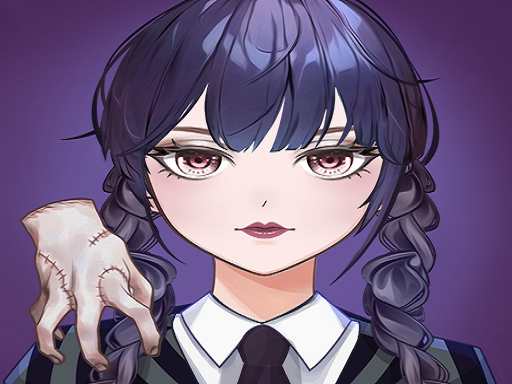
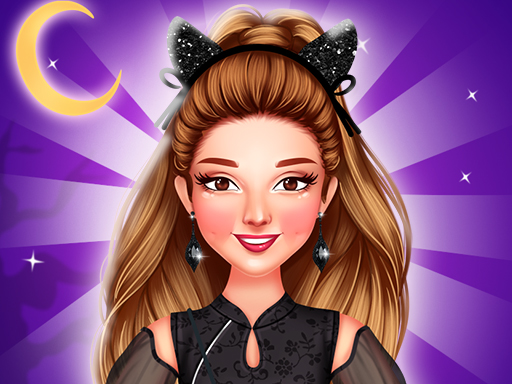
Welcome to Anime Avatar Maker, the ultimate game for fans of anime and customization! Have you ever dreamt of creating your very own anime avatar that perfectly reflects your personality and style? With Anime Avatar Maker, you can bring those dreams to life with a simple click. This engaging game allows you the freedom to design, customize, and switch out your anime image whenever you want, making it a unique experience tailored to you.
Anime Avatar Maker provides a wide array of features for players of all ages. Whether you are a seasoned anime enthusiast or a beginner looking to dive into the colorful world of avatar making, this game has something for everyone. The detailed interface allows you to adjust everything from the shape of the face to the color of the hair, ensuring that you can create an avatar that feels 100% yours.
One of the highlights of Anime Avatar Maker is the extensive range of face pinching parts. You can modify your avatar's features by adjusting the eyes, nose, mouth, and more, giving you the power to personalize every aspect of your character's face. The more you play, the more you will discover the incredible layers of customization available, allowing you to create an avatar that stands out from the crowd.
In addition to face customization, Anime Avatar Maker offers a plethora of decorations and accessories to enhance your avatar. Want to add a cool pair of glasses? Or perhaps a fun hat? The options are virtually endless! With various styles, colors, and themes, you can experiment with your avatar and find just the right combination that captures your imaginative spirit.
But the fun doesnt stop with just making one avatar! The game allows players to save their creations, giving you the option to revisit and modify your designs anytime. Show off your imaginative skills to friends or share your creations on social media platforms to inspire others. The community aspect of Anime Avatar Maker enhances the gaming experience, making avatar creation not just a personal adventure but also a social one.
Ready to take your avatar design to the next level? Embrace your creative side and let your imagination run wild with Anime Avatar Maker. No matter your level of experience, youll find that the joy of creating a self-made avatar is both rewarding and entertaining. The game is not just a tool for crafting images; its an avenue for self-expression and creativity, allowing you to explore different aesthetics while having fun.
To make the experience even more enjoyable, Anime Avatar Maker is designed with a user-friendly interface. Players can easily navigate through various customization options, making it accessible for everyone. This streamlined layout ensures that even those new to gaming will have no trouble hopping in and getting started on their avatar journey. Plus, the vibrant and colorful graphics enhance the immersive experience, drawing you further into the anime world.
For those who love to share their characters or see how friends have designed their avatars, the game offers social features that allow you to connect and collaborate with other players. Discover unique designs, gain inspiration, and challenge your friends to create their own fantastic avatars. This community-driven aspect enriches the game, creating opportunities for fun and creativity beyond individual gameplay.
In conclusion, Anime Avatar Maker is more than just a gameit's a celebration of creativity, individuality, and fun! Dont miss out on the chance to create the anime avatar of your dreams. Whether you're looking to surprise your friends with your artistic skills or you just want a fun way to express yourself, Anime Avatar Maker offers an experience that is both thrilling and satisfying. Join us now and start your avatar-making adventure today! Feel the joy of self-discovery and create an anime image that truly represents you with Anime Avatar Maker!
Getting started with Anime Avatar Maker is as simple as a few mouse clicks! Heres a step-by-step guide on how to play:
1. Launch the Game: Start by clicking on the Anime Avatar Maker icon to launch the game. Wait for the interface to load, giving you access to a canvas full of creative possibilities.
2. Choose Your Base Avatar: To kick off the avatar creation journey, you will typically be presented with a default avatar. Use your mouse to click and customize this base model. You can adjust the face shape, selecting from various options available in the customization palette.
3. Customize Facial Features: Use your mouse to select different facial features. To adjust elements such as the eyes, nose, mouth, and even facial expressions, click on the respective icons. Each feature can be altered in size, shape, and color. Experiment with different combinations to find your unique look by pinching or stretching certain parts for a more personalized touch.
4. Hair and Color Options: Next, move on to selecting your avatars hairstyle. There are numerous styles to choose from, ranging from short and spiky to long and flowing. Click on the hair icon and browse through the selection, and after choosing a hairstyle, adjust the color accordingly to fit your style.
5. Add Accessories: The fun continues as you explore a variety of accessories and decorations for your avatar. Want to add headbands, glasses, or cool hats? Use your mouse to select the accessory category, then drag and place the items onto your avatar. Adjust their position for the best fit by clicking and dragging.
6. Outfit Selection: The next step is to dress your avatar. Browse through the clothing options which could include casual wear, traditional outfits, or fantasy costumes. Click on any outfit to see how it looks on your character, and mix and match them to create a stylish ensemble.
7. Background and Finishing Touches: To complete your avatars look, consider selecting a background. It can be vibrant, subtle, or themed based on your characters style. Use the background options to find the perfect scenario for your avatar to shine.
8. Save and Share: Once you are satisfied with your creation, save your work by clicking the save icon. This feature allows you to revisit or share your avatar later. Encourage your friends to create theirs while you share yours on social media!
9. Restart or Try Again: Feel free to start over by clicking the 'New Avatar' icon. This resets your canvas and allows you to explore different themes and styles based on your evolving ideas.
By following these straightforward instructions, you will have an incredible time creating the most stunning anime avatars in Anime Avatar Maker. Tap into your creativity, experiment with various styles, and enjoy the immersive process of avatar creation. Whether youre having fun alone, enjoying with friends, or inspiring others, the possibilities are endless in Anime Avatar Maker!
 Action
 .IO
.IO 3D
3D Shooting
 Arcade
 Puzzle
 Sport
Sport Girl
Girl Adventure
 Racing