
Arcade
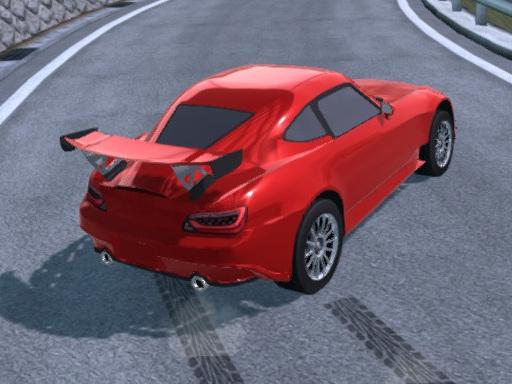
Welcome to Drive In City 3D, the ultimate car driving simulator that takes your racing experience to the next level! Launched in 2014, this game quickly became known for its stunning graphics, realistic physics engine, and immersive open-world environment. If you've ever dreamed of being behind the wheel of a high-performance sports car, this game fulfills your fantasy in a way that is thrilling and completely free of constraints. Enjoy the exhilarating sensation of speed as you blaze through a sprawling city designed for maximum enjoyment. Without the limitations of traffic or police, Drive In City 3D offers an unparalleled experience in illegal stunts and adrenaline-pumping maneuvers.
The immersive city is your playground; you can drive at top speeds and execute jaw-dropping drifts while navigating through stunning landscapes. Feel the thrill of being a furious racer as you explore the citys twists and turns while mastering the art of drifting and performing spectacular burnouts. Whether you prefer to cruise at a leisurely pace or push the limits of your vehicle's horsepower, Drive In City 3D caters to all driving enthusiasts.
Why settle for pedestrian driving simulations when you can take part in an open-world adventure? Drive In City 3D allows you to create your own racing scenarios. Challenge yourself by attempting daring stunts, or simply enjoy the freedom of driving without the constant pressure of racing against rivals or dodging traffic. Experience realistic car handling that brings a new level of immersion to your gaming sessions. Feel each turn, each acceleration, and the thrill of the road like never before.
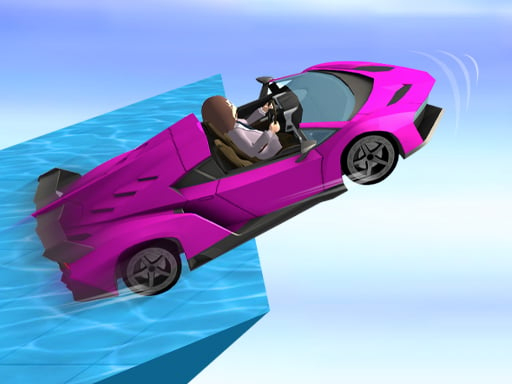
Drive In City 3D is equipped with an array of sports cars for you to choose from. Each vehicle offers unique handling and performance, ensuring you have a tailored experience that matches your driving style.
With beautiful graphics and a detailed open world, the city is bustling with activities to engage in. From serene parks to bustling downtown scenes, the environment is designed to excite and immerse you completely in the driving experience. The interactive city provides endless opportunities for exploration, helping you discover hidden areas and impressive racing routes that will keep you coming back for more.
This driving simulator is more than just a game; it's an invitation to unleash your inner speed demon in a vibrant and immersive environment. Gather your friends for a multiplayer experience; race together, or set challenges to see who can pull off the most incredible stunts.
In summary, Drive In City 3D stands out as one of the best car driving simulators on the market today. With stunning graphics, a realistic driving system, and the kind of freedom that allows for true exploration, this game is perfect for anyone looking to satisfy their need for speed. Get ready to burn some rubber and make some unforgettable memories in Drive In City 3D. Download now and start your driving adventure today!
Drive In City 3D provides an intuitive control scheme that is designed to ensure maximum enjoyability while you navigate the city at high speeds. Here are the keyboard controls that will help you dominate the streets:
1. Arrow Keys:
- Up Arrow: Accelerate your vehicle. Pressing this key will engage the throttle and get you moving at high speeds.
- Down Arrow: Brake your vehicle. Although there are minimal restrictions in this game, use this key when you want to slow down or stop.
- Left Arrow: Steer left. This key allows you to navigate corners sharply and dodge obstacles.
- Right Arrow: Steer right. Use this to keep your vehicle on course while speeding through the streets.
2. Space Bar: This key acts as your handbrake, which is essential for executing sharp turns and drifting around corners. Perfect for getting that drift right as you execute thrilling maneuvers.
3. R Key: Press this key to reset your vehicle. If you find yourself flipped over or stuck, hitting R will place you back on your wheels and ready to drive.
4. M Key: Toggle the in-game map on or off. This will help you keep track of your location while you explore the expansive city.
5. P Key: Pause the game. Use this key if you need to take a break and review your driving strategy or simply want to pause the action.
6. Shift Key: Use this for nitrous boost. This will give your vehicle a temporary speed increase, perfect for gaining an advantage during stunts or when you want to zoom past rivals.
Playing Drive In City 3D allows you to experiment with various driving styles and techniques. Take your time to familiarize yourself with the controls, and soon, you'll be drifting like a pro while performing breathtaking stunts. Whether you're a novice driver or an experienced racer, these simple controls will have you racing through the city gracefully. Enjoy the drive, and remember: the city is yours to conquer!
 Action
 .IO
.IO 3D
3D Shooting
 Arcade
 Puzzle
 Sport
Sport Girl
Girl Adventure
 Racing