
Puzzles
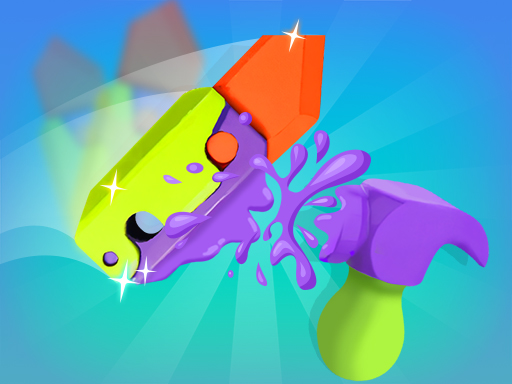
DIY Slime Simulator ASMR is an engaging and addictive simulation game that transports players into the vibrant world of slime-making. Perfect for fans of ASMR (Autonomous Sensory Meridian Response) and those who enjoy the tactile pleasure of squishing, stretching, and molding slime, this game offers a unique virtual experience that is both relaxing and fun. In DIY Slime Simulator ASMR, players take on the role of a slime creator, where boundless creativity is at their fingertips. Players will delight in the countless options available to customize their slime, from choosing base colors and textures to adding decorative elements that make each slime creation truly unique.
The gameplay unfolds in a beautifully designed virtual workshop filled with colorful slime ingredients, tools, and accessories. Players can experiment with various recipes to create different types of slime, from fluffy and stretchy to glossy and chunky. The game incorporates realistic physics, allowing players to manipulate the slime in a satisfying way, complete with delightful sounds that enhance the ASMR experience.
To make slime, players begin by selecting their desired base from a wide array of colors. Once the base is chosen, they can add vibrant dyes to create mesmerizing effects. The game features an impressive selection of glitter, beads, and themed decorations that players can toss into their slime mix, adding a personal touch to every creation. The sound effects of squishing and stretching the slime further amplify the sensory experience, making each interaction enjoyable and immersive.
What makes DIY Slime Simulator ASMR particularly captivating is the collection aspect. As players create new types of slime, they have the opportunity to collect and showcase their masterpieces in a virtual gallery. Completing various challenges and experiments unlocks special items and rare materials, encouraging players to explore different combinations and designs. The joy of discovering new recipes and the achievement of building an extensive slime collection provide ongoing motivation for players to keep creating.
Additionally, DIY Slime Simulator ASMR is designed to cater to a wide audience. Whether you are a seasoned slime enthusiast or a newcomer intrigued by the slime trend, this game offers an accessible yet enriching experience. Players of all ages can enjoy the soothing nature of slime-making, making it a fantastic way to unwind after a long day or simply explore creativity. The game's user-friendly interface ensures that players can easily navigate through the components, allowing for a seamless gaming experience.
The game also encourages social interaction, as players can share their slime creations on social media. By showcasing their inventive slime designs, players can gain appreciation from friends and fellow slime lovers, increasing engagement and community-building within the game. DIY Slime Simulator ASMR not only allows for individual creativity but also sparks inspiration through interaction with other players.
In summary, DIY Slime Simulator ASMR is a delightful simulation game that brings the joy of slime-making to life. With an endless array of customization options, immersive ASMR sound effects, and an engaging collection mechanic, players can indulge in a therapeutic and entertaining experience. Whether you are looking to squeeze away stress or express your artistic side, this game invites you to become the ultimate king of slime collection. Dive into the world of DIY Slime Simulator ASMR and discover the sheer joy of creating, collecting, and sharing your very own slime masterpieces.
Getting started with DIY Slime Simulator ASMR is easy and straightforward. This section will guide you through the essential gameplay instructions to help you make the most of your slime-making adventure.
1. Launch the Game: Begin by clicking on the game icon to open DIY Slime Simulator ASMR on your device. Wait for the main menu to load, where you will find options for starting your game, viewing your slime collection, and accessing settings.
2. Select Play Mode: Once you are on the main menu, choose the 'Play' option. This will take you to your creative slime workshop, where the magic begins! You can either start fresh or explore previously saved slimes from your collection.
3. Choose Your Slime Base: To create your custom slime, first, youll need to select a base. Click or tap on the color palette to explore the various base colors available. Pick one that inspires you!
4. Customize Your Slime: After selecting your base color, its time to personalize your creation. You can add different dyes to transform and enhance the color of your slime. Click or tap on the dye options to apply them. You also have the opportunity to add decorations such as glitter, beads, or themed items. Mix and match until you find your perfect slime combination!
5. Mix Your Ingredients: Once you've chosen your ingredients, its time to mix everything together. Use your mouse or finger to interact with the bowl and observe how your slime comes to life. The realistic physics of the game allow for an enjoyable mixing process while the accompanying sound effects enhance the ASMR aspect.
6. Play With Your Slime: After creating your masterpiece, you can start playing with your slime. Pinch, squeeze, stretch, and pull your creation to experience the satisfying feel of slime. The game provides immersive sound effects during this phase, adding to the stress-relief experience.
7. Save and Collect: When you are satisfied with your slime creation, be sure to save it. Each slime you create can be added to your collection, allowing you to show off your masterpieces later on. You can also see the different types of slime youve accumulated, fueling your desire to explore even more combinations.
8. Challenges and Exploration: Take advantage of the in-game challenges to unlock special materials and rare slime recipes. Try different combinations and showcase your creativity to get the most out of your slime-making experience.
9. Share Your Creations: Once you have crafted and collected an array of unique slimes, consider sharing your favorite designs on social media. The game makes it easy to take snapshots and show off your artistic talent to friends and other players.
10. Return to the Workshop: After playing and creating, feel free to return to the main menu whenever you wish. You can re-enter the workshop to make more slime or to admire your collection at any time.
In summary, DIY Slime Simulator ASMR offers a straightforward yet richly engaging experience. Coupled with the calming effects of slime-making and the thrill of collecting unique creations, players can quickly find themselves immersed in this delightful world. Remember to click or tap your way through each step of the process, and above all, have fun creating and enjoying the soothing world of DIY slime!
 Action
 .IO
.IO 3D
3D Shooting
 Arcade
 Puzzle
 Sport
Sport Girl
Girl Adventure
 Racing