
Shooting
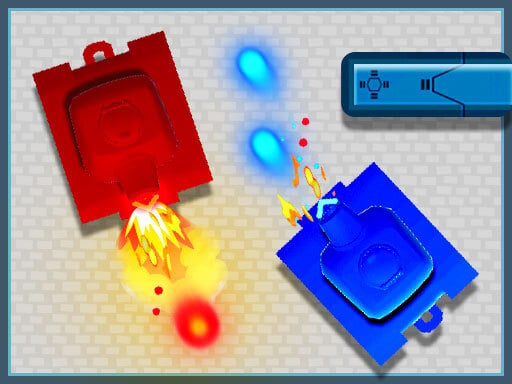
Welcome to Battle City Online, a thrilling multiplayer game that brings back the nostalgic excitement of tank battles from your childhood. Engage in fierce combat while defending your city from clever enemy tanks across a total of 35 diverse levels. Each uniquely designed map features various terrains and obstacles, providing players with an immersive gaming experience. Battle City Online not only offers local multiplayer gameplay but is also set to introduce an online multiplayer feature, where you can challenge friends and players from around the globe.
One of the standout features of Battle City Online is the ability to create your own maps. Unleash your creativity by designing battlefields tailored to your preferences, and immediately share these custom maps with friends for endless hours of fun. The game offers an array of customization options, allowing you to modify terrain types and strategize your defense against incoming threats.
Dive into the classic tank gameplay as you navigate your armored vehicle through intricate levels filled with challenges. As you take on enemies, you'll need sharp reflexes and strategic thinking to overcome each stage successfully. Battling super-intelligent enemy tanks means you will always be on your toes, and your tactical decisions will be crucial in ensuring the safety of your city.
As noted in our to-do list, we are working towards implementing an exciting online multiplayer gameplay experience, enhancing your opportunity to connect with fellow gamers. This will be complemented by a dedicated in-game shop allowing players to buy and sell various rewards and their custom maps, adding a trading dimension to the game that increases its longevity and player engagement.
Online tournaments with a new coin system are also on the horizon. This feature will enable players to participate in competitive events, where they can stake coins for a chance to win prestigious rewards while climbing local and global leaderboards.
For an even better user experience, were focused on improving the map editor's UI. This evolution will simplify the process of creating custom maps, ensuring that every player can easily make their mark on the game world. Plus, joystick support for the map editor will be integrated, allowing players to navigate and design with greater ease and comfort.
In response to community feedback, we are also adding AI difficulty settings in our upcoming updates. You will soon have the option to select difficulty levels of easy, normal, and hard, catering to both newcomers and experienced players alike. This addition will provide a personalized gameplay experience, making Battle City Online enjoyable for everyone involved.
In conclusion, Battle City Online offers an engaging and dynamic gaming experience that harks back to the beloved tank battles we all remember. With its unique blend of offline and online features and continuous developments based on player feedback, the game promises to cultivate a dedicated community of tank commanders. Whether you are revisiting your childhood fondness for tank games or are new to the genre, you will find plenty of challenges, customization, and competition waiting for you. Get ready to strategize and conquer in Battle City Online, where every match could be the moment you protect your city from destruction!
Getting started with Battle City Online is a straightforward process. Players have multiple control schemes available to suit their preferences. Below are the primary control options for navigating the game and maximizing your gameplay experience.
1. Keyboard Controls:
- Use the arrow keys or WASD for tank movement.
- Spacebar to shoot.
- Enter to interact with different game elements.
- Press Tab to open the map editor and create custom maps.
- Use number keys to switch between tank upgrades or power-ups.
2. Joystick Controls:
- Use Xbox 360 joystick for tank movement.
- Assign the joystick buttons for firing and other actions through the settings menu. This compatibility enhances player control, ensuring precise movements during battles.
- Navigate the maps easily by utilizing the analog stick on your controller.
3. Mouse Navigation:
- Utilize the mouse to interact with the games UI seamlessly.
- Right-click to select options, while the left-click allows you to execute commands.
- Hover over elements to view additional information about upgrades and features.
- Use click-and-drag for map creation in the editor, giving you the ability to position terrain and obstacles intuitively.
Whether you choose the keyboard, joystick, or mouse, Battle City Online guarantees a responsive and enjoyable experience, inviting players to dive into the exhilarating world of tank battles. Customize your controls in the settings menu to find the optimal setup that matches your play style. Prepare for some serious fun as you embark on your quest to save the city!
 Action
 .IO
.IO 3D
3D Shooting
 Arcade
 Puzzle
 Sport
Sport Girl
Girl Adventure
 Racing